Yishan logo
Yishan
Agentic era · Multi-workstream · Worktree-first

The workspace built for parallel minds.

Agents made parallel work easy. Managing it is still on you. Yishan fixes that.

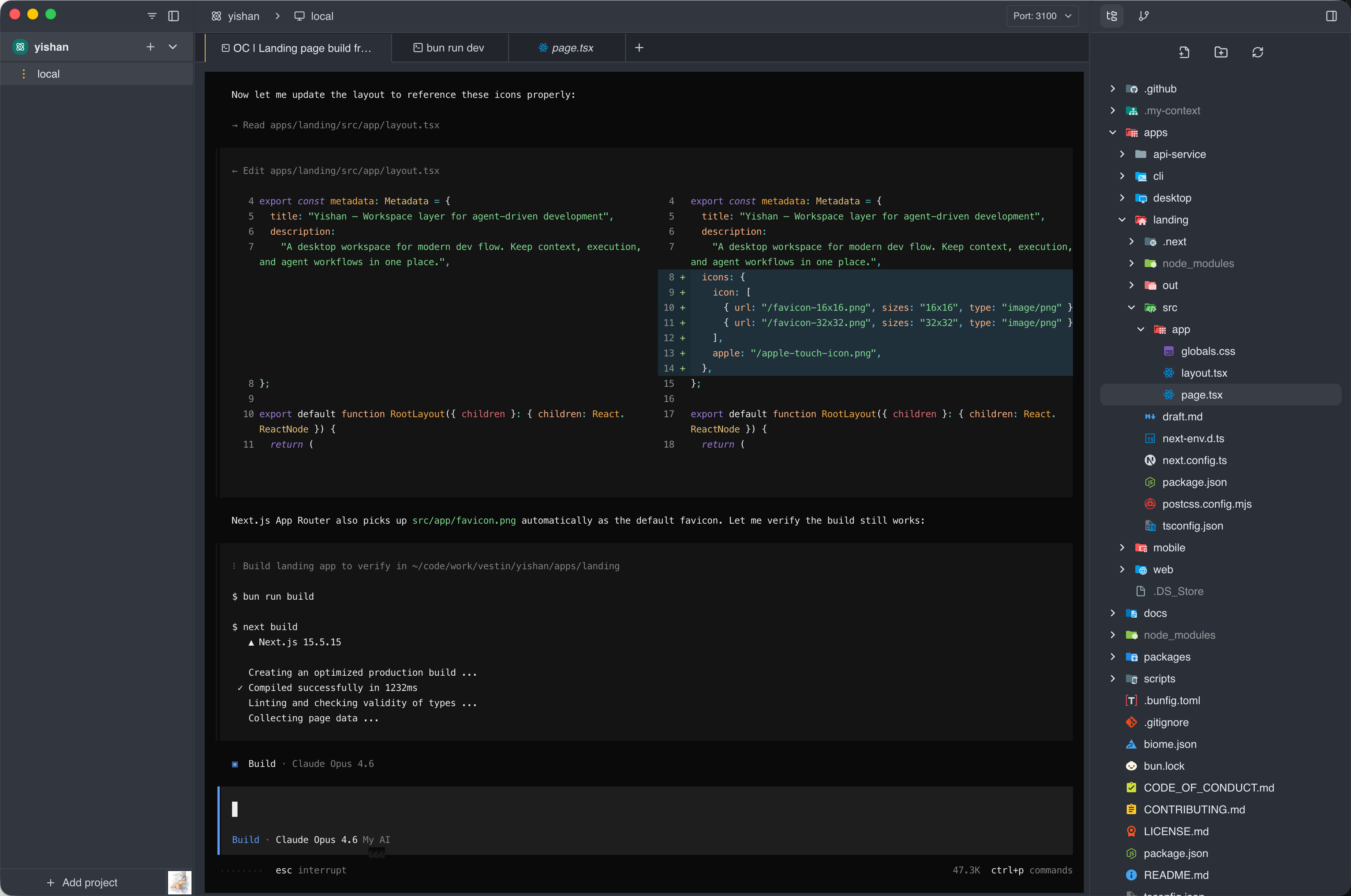
Yishan desktop app screenshot
Why Yishan

Tools were built for serial work. The work is now parallel.

Agents make it easy to spin up concurrent tasks — fixing a bug, refactoring a module, reviewing code — all at once. But each workstream runs in its own terminal, repo, or chat tab. The burden of monitoring, switching, and resuming still falls entirely on you.

scattered across tools
Terminal — fix/login-bug
$ npm test -- auth
● running 4 tests...
modified: src/auth.ts
Claude — refactor
Refactoring data layer
editor — db/model.ts
export type User = {
id: string
role: Role
Terminal — feat/api-v2
$ codex run review
reviewing changes...
Gemini — docs
Where is the review agent up to? Which branch was that refactor on? You have to check each tool manually.
What Yishan does

Give every workstream a living workspace

Yishan turns each task into a persistent, hot workspace. Terminals, agent sessions, file state, and git context stay alive as you move between workstreams — monitor everything from one place, switch instantly, and resume in seconds.

one workspace layer
Yishan — my-project
Workstreams
Bug fix
fix/login-bug
Refactor
refactor/data-layer
Feature
feat/api-v2
fix/login-bug
+12−3Claude
$ npm test -- auth
● 4 tests running...
.my-context / Next: confirm token expiry fix, check refresh flow
Refactor
⏸ waiting for input
Feature
✓ done
Switch to Refactor — terminal, files, and agent session are exactly where you left them.
Core features

Designed for parallel development

New workspace
each task gets its own branch
fix/login-bug
+12−3Clauderunning
$ npm test -- auth
refactor/data-layer
+89−41Codexwaiting
$ codex run refactor
feat/api-v2
+204−17Geminirunning
$ gemini review --diff

Isolated workspaces

Each task gets its own branch, terminal, and file state. Parallel work never collides — switch between workstreams without anything leaking across.

All workstreams
2 running
1 waiting
1 done
fix/login-bug+12−3Clauderunning
refactor/data-layer+89−41Codexwaiting
feat/api-v2+204−17Geminidone
chore/deps-update+8−8Clauderunning
refactor/data-layerjust finished· 3s ago

Live status across all workstreams

See every task's state — running, waiting for input, done — in one view. No more opening each terminal to check what's happening.

Switched to something else 2h ago
Terminal — fix/login-bug
$ npm test -- auth
● 4 tests running...
✓ token refresh
✓ session expiry
3 files open
unsaved changes preserved
.my-context / Next: confirm token expiry fix → check oauth redirect flow

Leave it running, come back when ready

Start a task, switch to something more urgent, and return later without paying any setup cost. Every workstream stays exactly as you left it — terminals, agent sessions, files, context — until the work is actually done.

.my-context/shared
.my-context/visible in all workspaces
auth.md
Auth flow needs review before merge — token refresh has edge case on expiry
notes.md
Data layer refactor: keep legacy adapter for v1 compat, remove in v2
handoff.md
PR ready to review — ask Alice to check the session middleware changes
fix/login-bug
switch workspace to see shared context →

Built-in context shared across every workspace

Each project has a .my-context folder — notes, plans, and handoff details written in one workspace are immediately visible in all others. Switch workstreams and the context comes with you, without dragging it into normal commit flow.

More ways to work

Built for how developers actually live

Beyond parallel workstreams, Yishan fits the way real development work happens — on the sofa, across a team, and without leaving your workspace to check things.

my-project
2 members active
Z
A
M
fix/login-bug
Z
running
feat/dashboard
A
waiting
refactor/data-layer
M
idle
dev-server-01
Shared host3 workspaces

Team collaboration

Share workspace status and hosts across your team. Everyone sees what's running, what's blocked, and who owns what — without asking in Slack.

Scheduled jobs
Weekly summary
0 6 * * MON
in 5h 14m
Claude
Dependency audit
0 6 * * *
in 18h 22m
Codex
Run history
Weekly summary · 2m 14sToday 06:00
Dep audit · 48sToday 06:00
Weekly summary · 1m 58sYesterday 06:00
Dep audit · timed outYesterday 06:00

Autopilot

Schedule recurring agent jobs to run on a cadence. Code review passes, health checks, weekly summaries — happening automatically while you focus elsewhere.

Openfeat: agent session persistence
fix/login-bug → main · opened 2h ago · zhex
Checks
Build
Unit tests (148)
Type check
E2Erunning...
Reviewers
A
B
1 approved
Merge when ready
fix/login-bug
+12−32 commits ahead of main

PR status without leaving Yishan

See pull request state, checks, and review status inline with the workspace. No more jumping to GitHub to find out where a PR stands.

Transcribing...
"Review the auth changes and open a PR against main"

Voice input

Dictate prompts, notes, and instructions hands-free. Works while you're away from the keyboard — on the sofa, on a call, or just thinking out loud.

Works with your tools

OpenCode
Codex
Claude
Gemini
Cursor
Pi
How it works

From zero to multiple parallel workstreams

Spin up a workspace for each task, watch them all from one view, and jump back in anywhere — in under a minute.

Yishan — my-project
Workstreams
click to switch →
fix/login-bug
+12−3Claude
$ npm test -- auth
● running 4 tests...
✓ token refresh
✓ session expiry
● login redirect
● oauth callback
.my-context / Next: confirm token expiry fix → check oauth redirect flow
01
Spin up a new workstream
Create a workspace for each task. Each one gets its own branch, terminal, and agent session — isolated and ready to run.
02
Check in across all of them
One view shows what's running, what's waiting for input, and what just finished. No manual terminal checks.
03
Jump back in anywhere
Pick any workstream and everything is live exactly where you left it — terminal, files, agent session, context.
Roadmap

Expanding the workspace model

The next phase extends Yishan from your local machine into remote execution, deeper agent control, and mobile.

In progress

Remote host workspaces

Spin up workstreams on a remote machine. Keep your laptop free while long-running agent work continues elsewhere.

In progress

CLI + agent workflow integration

Spawn multiple workspaces directly from chat or CLI. Let agents trigger and manage new workstreams on their own — one command, parallel execution.

Planned

Development lifecycle management

Move from issue to workspace to PR in one continuous flow without stitching tools together by hand.

Planned

Mobile remote control

Monitor and steer running workspaces or agent tasks from your phone when away from your laptop.

Get started

Run multiple workstreams without the overhead

Let agents work in parallel while you monitor, switch, and resume from one place — each task with its own hot workspace and persistent context.